 By theo
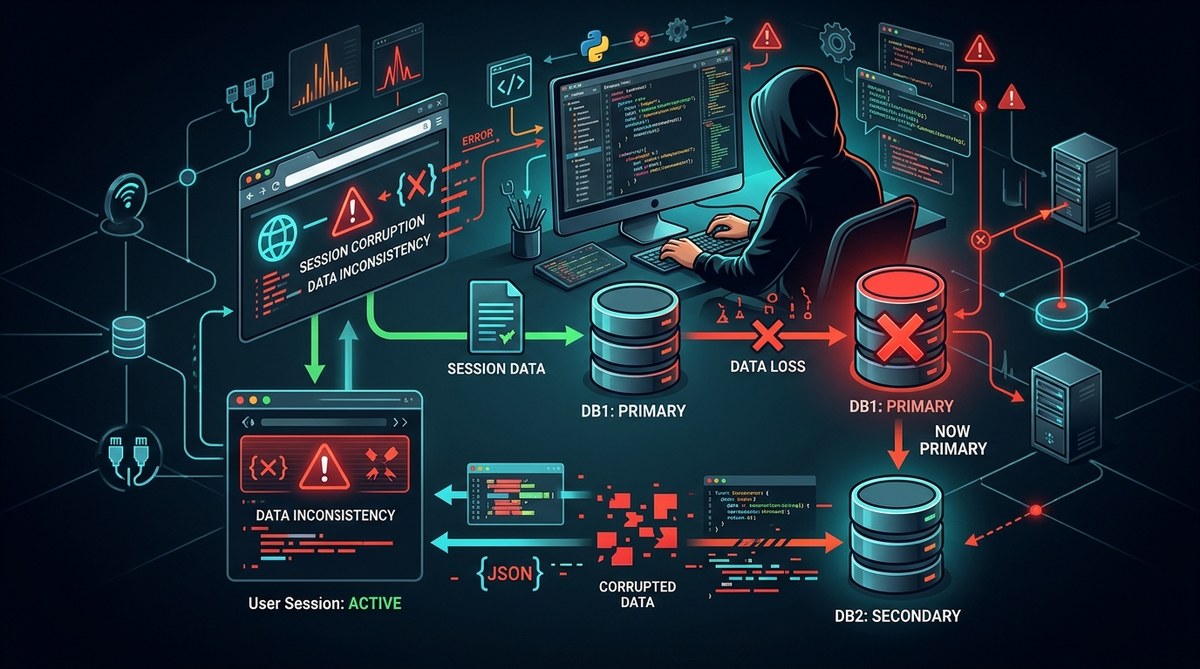
Your pager goes off at 2:17 AM. The primary database just failed over to the replica. You breathe a sigh of relief because the failover itself worked. But then the tickets start rolling in. Users are getting logged out. Shopping carts are empty. Session data looks like someone fed it through a blender. You are now staring at a corrupted session state that only appears after a database failover. This is not a normal bug. It is a high-severity, intermittent problem that makes you question your entire architecture. Let us walk through how to track this down and fix it for good.
Corrupted session state after a database failover usually points to a mismatch between the session data stored on the primary and the data that gets promoted on the replica. The root cause is often asynchronous replication lag, unflushed write-ahead logs, or application code that reads stale session tokens. Fixing it requires aligning your session persistence with your database consistency model.
Why Failover Corrupts Session State
A database failover happens when the primary node goes down and a replica takes over. In an ideal world, the replica has an exact copy of every committed transaction. In reality, there is almost always a gap. That gap is where your session state gets corrupted.
Session state is usually a blob of data tied to a user ID or a session token. Your application writes that blob to the database on login, on page load, or on state change. If the primary crashes before the replica receives the latest write, the promoted replica will have an older version of that session. Your application reads the old data, tries to use it with a newer token or timestamp, and everything falls apart.
The corruption is not random. It follows a pattern. You just need to know where to look.
The Three Most Common Root Causes
There are three main reasons your session state gets scrambled after a failover. Each one requires a different diagnostic approach.
Asynchronous replication lag. This is the most common culprit. Your primary writes session data, but the replica is a few milliseconds or seconds behind. When the failover happens, those last few writes are gone. The new primary starts serving sessions that are missing recent updates. Users see stale data or get logged out because their session token was updated on the old primary but never made it to the replica.
Unflushed write-ahead logs (WAL). Some databases buffer WAL data before flushing to disk. If the primary crashes before the flush, those transactions are lost even if the replica received them. The session state on the replica will be consistent up to the last flushed transaction, but anything after that is gone. This creates a corrupted state because your application thinks the data was committed.
Application code that assumes session consistency. Your application might read session data immediately after writing it, assuming the write is globally visible. If the read hits a different node that has not replicated yet, you get a partial or empty session. After a failover, this race condition becomes a flood of errors.
A Numbered Diagnostic Process
Follow these steps to isolate the corruption. Do not skip around. The order matters.
-
Check replication lag at the time of failover. Look at your database monitoring tools for the replication lag metric right before the primary went down. If the lag was more than a few hundred milliseconds, you have found the likely cause. Pull the last few seconds of transaction logs from the old primary if you can access it. Compare them to the logs on the new primary.
-
Audit your session storage strategy. Find out exactly how your application stores session data. Is it a single JSON blob in a table? Is it serialized objects in a key-value store? Is it tied to a specific database row that gets updated on every request? Map out the write path. If the session write is not inside a transaction that waits for replica acknowledgment, you have a gap.
-
Reproduce the failure in a staging environment. Set up two database nodes with intentional replication lag. Simulate a failover while a script is constantly updating session data. Observe which sessions break. This will tell you the exact window of data loss. Use this to define your acceptable data loss tolerance.
-
Instrument your application to log session versions. Add a version number or a timestamp to every session record. When the application reads a session, log the version. After a failover, compare the versions of corrupted sessions. If they are all missing the last version, you have confirmed replication lag as the root cause.
-
Test with synchronous replication turned on. This is a temporary test, not a permanent fix. Configure your database to use synchronous replication for the session table. Run the same failover test. If the corruption disappears, you have your answer. You can then decide if the performance tradeoff is worth it.
Common Mistakes and Better Approaches
| Mistake | What Happens | Better Approach |
|---|---|---|
| Using asynchronous replication for session data | Sessions are lost or corrupted on failover | Use synchronous replication or a dedicated session store |
| Storing full session objects in a single column | Partial writes or deserialization errors | Store sessions as separate normalized rows with timestamps |
| Not validating session tokens against the database | Application trusts a stale token | Validate the token version on every read |
| Relying on database-level locking for session writes | Locks do not survive a failover | Use optimistic concurrency control with version fields |
| Ignoring the difference between committed and flushed data | Data loss even with synchronous replication | Wait for flush confirmation, not just commit acknowledgment |
What to Check in Your Application Code
Your application code holds the key to this bug. Here is a bulleted list of code patterns that cause corrupted session state after failover.
- Writing session data without a transaction that includes a read-back verification.
- Using a session token that includes a timestamp or sequence number generated by the application, not the database.
- Reading session data from a read replica that is not guaranteed to be caught up.
- Caching session data in memory without invalidating it after a write.
- Relying on the database to enforce session expiration without checking the token age on every request.
If your code does any of these, you have a potential corruption path. Fixing them will reduce the window of failure even if you cannot eliminate replication lag entirely.
Why Your Error Logging Is Misleading You
Standard error logging often hides the real problem. You might see errors like “invalid session” or “user not found” but the stack trace points to a generic database query. The real error is that the session data is stale, not missing. Your error handler treats it as a missing record and creates a new session. The user loses their data, and you see a spike in new session creation instead of corruption errors.
To fix this, add a specific check in your session retrieval code. Compare the session version or last modified timestamp against the current time. If the version is older than expected, log a distinct error with the tag “session_stale_after_failover”. This gives you a signal you can alert on.
“The most expensive bug is the one you cannot see. If your logs say ‘session not found’ but the session exists with old data, you are looking at the wrong error. Change your logging to surface the version mismatch, not the missing key.”
A Markdown Table of Diagnostic Tools
| Tool | What It Checks | When to Use It |
|---|---|---|
SHOW REPLICATION STATUS (MySQL) |
Lag in seconds and bytes | Immediately after a failover to measure gap |
pg_stat_replication (PostgreSQL) |
Write-ahead log position on replica | Before and during failover testing |
| Application session version logs | Version mismatch between writes and reads | Continuously in production |
| Database transaction log dumps | Exact list of committed transactions | After a failover to compare primaries |
| Staging environment failover tests | Reproduce the corruption | Before deploying session changes |
How to Fix the Corruption Permanently
You have three options to fix this. Pick the one that matches your tolerance for performance loss and complexity.
Option one: Use synchronous replication for session data. This guarantees that every session write is confirmed by at least one replica before the application gets a success response. The tradeoff is higher write latency. For session data, which is usually small and written frequently, this can slow down your login and state update flows.
Option two: Move session storage outside the database. Use a dedicated session store like Redis or Memcached. These systems are designed for high-speed, low-latency reads and writes. They also have built-in replication and failover mechanisms that are simpler than a full database failover. This is the most common fix for this exact problem.
Option three: Implement application-level session reconciliation. Add logic in your application to detect stale sessions and refresh them from a source of truth. For example, if the session token version does not match the database version, force a re-login or rebuild the session from user data. This is a band-aid, but it works if you cannot change your infrastructure.
Designing a Session Storage Strategy That Survives Failover
Your session storage strategy must account for the fact that databases fail over. Here are the principles to follow.
- Treat session data as ephemeral. Do not store critical business logic in the session. If it gets lost, the user should only lose their current browsing state, not their account data.
- Use short session timeouts. A session that expires in 15 minutes is less likely to be corrupted than one that lasts for days.
- Store session tokens as opaque strings. Do not encode timestamps or sequence numbers in the token itself. Let the database or session store manage the versioning.
- Always validate the session against the storage layer on every request. Do not trust a cached copy.
For a deeper look at how to handle these types of state issues in your application, check out this guide on why your React app’s state updates silently fail. The principles apply to any stateful system.
Testing Your Fix Under Realistic Conditions
You cannot trust a fix until you have tested it under failover conditions. Here is a simple test plan.
Set up a staging environment that mirrors your production database configuration. Create a script that simulates user activity. Every second, it writes a new session update. While the script is running, kill the primary database process. Trigger the failover. Then check every session that was written in the last 10 seconds. If any of them are missing or corrupted, your fix is not complete.
Repeat this test with different replication lag settings. If you are using asynchronous replication, set the lag to 1 second, 5 seconds, and 10 seconds. This will show you the exact window of data loss.
For more ideas on how to reproduce tricky bugs, read about how to reproduce and fix race conditions in JavaScript. The same thinking applies to database state races.
What to Do When the Failover Happens Again
You will have another failover. It is not a matter of if, but when. When it happens, you need a runbook that accounts for session corruption.
Your runbook should include these steps:
- Immediately enable synchronous replication for the session table if it is not already enabled.
- Block traffic to the application for 30 seconds to let replication catch up.
- Clear any in-memory session caches on your application servers.
- Run a script that validates all active sessions against the new primary.
- If corruption is detected, invalidate the affected sessions and force users to re-authenticate.
This is not a perfect solution, but it limits the damage. You can refine it over time.
Building Resilience Into Your Session Layer
The ultimate goal is to build a session layer that does not break when the database fails over. This means decoupling session storage from your primary database. Use a dedicated session store that is designed for high availability. Redis Sentinel or Redis Cluster are good options. They handle failover natively and have much tighter consistency guarantees for small data blobs.
If you must use your relational database for sessions, at least put the session table on its own replication stream with synchronous mode. Treat it as a separate concern from your application data.
For more on how to avoid similar pitfalls in your backend, look at optimizing database calls to prevent backend performance bottlenecks. Session corruption is a performance problem in disguise.
Your Next Moves
You now have a clear path to debug and fix corrupted session state after a database failover. Start by checking your replication lag. Then audit your session storage strategy. Run a failover test in staging. Fix the root cause, whether it is async replication, unflushed logs, or application code assumptions.
Do not wait for the next failover to test your fix. Schedule a chaos engineering exercise this week. Break your database on purpose. See what happens to your sessions. That is the only way to know if you are truly protected.
Your users will thank you the next time the database goes down and their shopping cart survives.