 By theo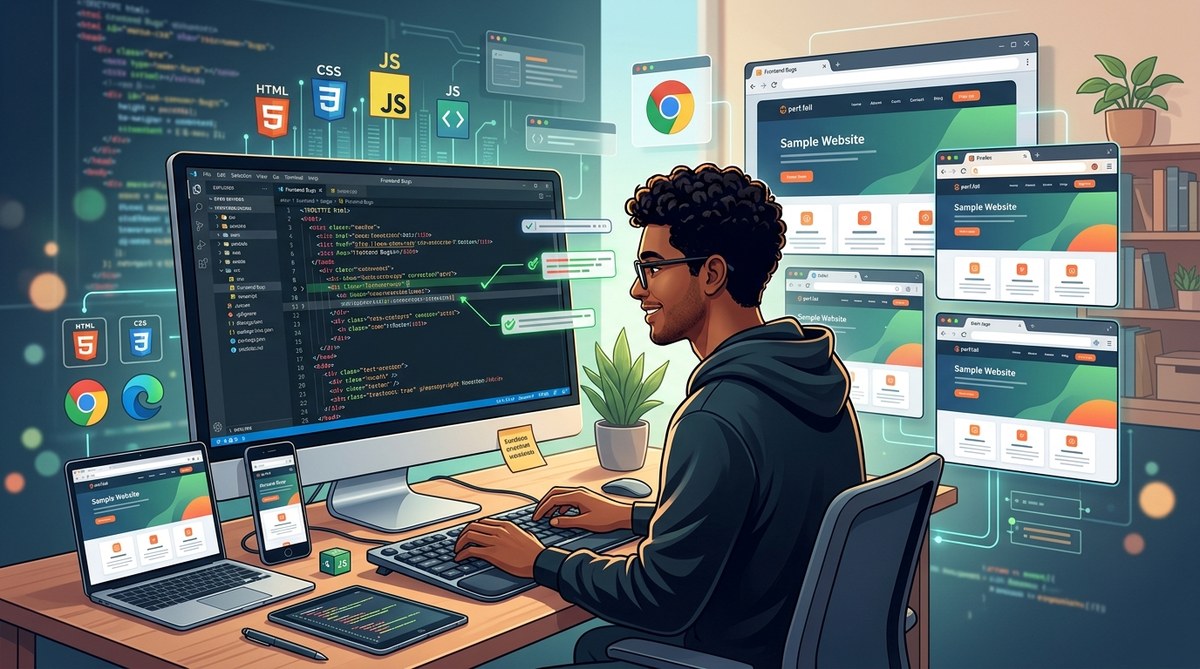
Web developers often face the challenge of ensuring their websites look and work the same across multiple browsers. Differences in rendering engines, JavaScript support, and CSS handling can cause layout shifts, broken features, or inconsistent styles. Addressing cross-browser compatibility issues is essential for delivering a reliable user experience and maintaining brand credibility. This guide walks you through practical steps to identify, troubleshoot, and fix common cross-browser problems, making your front-end code truly universal.
Cross-browser compatibility issues can disrupt your website’s appearance and functionality. By systematically testing across browsers, using normalization tools, and applying best coding practices, you can create a consistent experience for all users regardless of their chosen browser or device.
Understanding Why Cross-Browser Compatibility Issues Occur
Different browsers have unique rendering engines and JavaScript engines. For example, Chrome uses Blink, Firefox uses Gecko, Safari has WebKit, and Edge now also runs on Chromium. These engines interpret CSS, HTML, and JavaScript differently, leading to discrepancies. Common reasons for issues include outdated code, reliance on proprietary features, inconsistent CSS resets, and untested code on certain browsers.
Knowing these root causes helps you prioritize troubleshooting efforts. The key is to identify which aspects of your site behave unexpectedly on certain browsers and then apply targeted fixes.
How To Diagnose Cross-Browser Problems Effectively
- Test early and often: Use multiple browsers during development. Tools like BrowserStack or Sauce Labs enable testing across different platforms without needing multiple devices.
- Identify the issue type: Is it layout, style, functionality, or performance? Pinpointing the problem saves time.
- Use developer tools: Chrome DevTools, Firefox Developer Edition, and Safari’s Web Inspector are invaluable for inspecting styles, console errors, and network issues.
- Check browser compatibility data: Resources like Can I Use provide insights on feature support and known issues for each browser.
- Validate your code: Use validators such as the W3C Markup Validation Service and CSS Validator to catch syntax errors.
Practical Steps to Fix Cross-Browser Compatibility Issues
- Test on multiple browsers and devices
The first step involves comprehensive testing on popular browsers. Automated testing services or device labs streamline this process. Regular testing catches discrepancies early and prevents issues from escalating.
- Use CSS resets or normalization
Different browsers have their default styles. Reset or normalize stylesheets like Normalize.css help create a consistent baseline. This reduces unexpected margins, paddings, and font styles that vary across browsers.
- Apply vendor prefixes carefully
Some CSS properties require vendor prefixes for compatibility. Tools like Autoprefixer automate this process. For example, properties like flexbox or gradients often need prefixes in older browsers.
- Implement feature detection
Instead of browser detection, focus on detecting if a feature exists before using it. Modernizr is a popular library that helps identify supported features and conditionally applies polyfills or fallback styles.
- Use polyfills and shims
Polyfills enable older browsers to support newer features. For example, polyfills for fetch API, ES6 features, or CSS grid ensure functional consistency.
- Validate and debug your code
Run your code through validators and use browser developer tools to identify errors or unsupported features. Fixing issues in the code often resolves compatibility problems.
Techniques and mistakes comparison
| Technique | Common Mistake |
|---|---|
| Using CSS resets | Relying solely on resets without testing styles afterward |
| Applying vendor prefixes | Forgetting to include prefixes for older browsers |
| Employing feature detection | Detecting browsers instead of features |
| Using polyfills | Overusing polyfills for features that aren’t supported in targeted browsers |
| Validating code | Ignoring validation errors that cause rendering issues |
Best Practices for Cross-Browser Compatibility
- Prioritize modern standards: Use HTML5, CSS3, and ES6+ features supported by most browsers. When supporting older browsers, consider progressive enhancement.
- Test on real devices: Emulators help but testing on actual hardware ensures accurate results.
- Use CSS frameworks cautiously: Frameworks like Bootstrap are designed to be cross-browser compatible but always verify custom styles.
- Keep dependencies updated: Use the latest versions of libraries and tools to benefit from patches and updates aimed at compatibility.
- Document browser support policies: Clearly communicate supported browsers to stakeholders and plan development accordingly.
“Always design with the least capable browser in mind. Your goal should be functionality first, aesthetics second.” — Front-end veteran
Common Cross-Browser Compatibility Mistakes to Watch Out For
| Mistake | Impact |
|---|---|
| Relying on proprietary CSS features without fallbacks | Layout breaks or unsupported styles on some browsers |
| Using outdated JavaScript without polyfills | Broken scripts or missing features in older browsers |
| Ignoring CSS specificity and cascade issues | Styles not applying as expected |
| Not testing on mobile browsers | Layout and interaction issues on smartphones |
| Overlooking performance differences | Slow load times or unresponsive features |
Final Tips to Maintain Cross-Browser Compatibility
- Incorporate cross-browser testing into your development workflow.
- Regularly update your codebase based on browser support changes.
- Use tools like Can I Use to stay informed about feature support.
- Document known issues and workarounds for future reference.
- Keep user feedback channels active to catch issues missed during testing.
Ensuring a Seamless User Experience Across Browsers
Cross-browser compatibility is an ongoing process. As browsers evolve, so must your code. By adopting a systematic approach—testing early, using normalization tools, applying progressive enhancement, and staying informed—you can minimize issues. Remember that the goal is to deliver consistent functionality and appearance, regardless of how your users access your site.
Applying these best practices not only improves user satisfaction but also reduces maintenance headaches down the line. Keep your code adaptable, test thoroughly, and stay curious about browser updates. Your users will thank you for a reliable, uniform experience.
Ready to tackle cross-browser issues head-on? Start integrating these strategies into your workflow today. With patience and the right tools, your website will perform beautifully across all browsers, delighting every visitor.