 By theo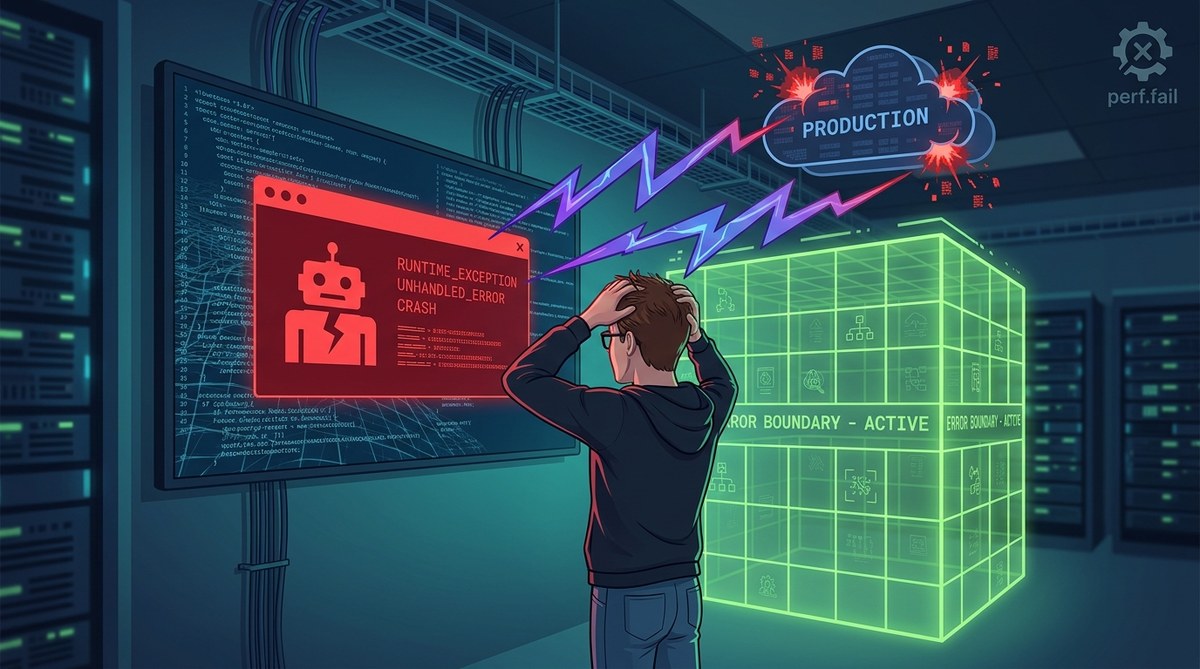
You added error boundaries to your React app. You tested them locally. Everything looked great. Then you shipped to production, and your monitoring dashboard lit up with unhandled crashes. Users saw white screens. Your fallback UI never appeared. You are not alone.
This is one of the most frustrating gaps in React development today. Error boundaries are a fantastic tool, but they have sharp edges that only show up under real world conditions. The good news? Every single one of these failures has a clear cause and a fix.
React error boundaries catch errors during rendering, lifecycle methods, and constructors. But they miss async errors, event handlers, and server side rendering crashes entirely. Most production failures come from unhandled promise rejections, errors thrown outside the component tree, and boundaries that are placed too high. You need a layered strategy that pairs boundaries with global error handlers and proper async error management.
Why Your Error Boundary Is Silent While Users Suffer
Error boundaries work by wrapping a class component that implements componentDidCatch or the static getDerivedStateFromError method. They catch JavaScript errors in the component tree below them during rendering. That is the key phrase: “during rendering.”
Your boundary will not catch errors that happen:
- Inside event handlers (onClick, onChange, onSubmit)
- Inside asynchronous code (setTimeout, requestAnimationFrame, fetch callbacks)
- During server side rendering (SSR)
- In the error boundary itself
- In code that runs outside the React tree (third party scripts, Web Workers)
If your production crash comes from any of these sources, your error boundary is effectively invisible. It sits there, perfectly coded, doing absolutely nothing while your app breaks.
Let me show you exactly where the gaps are and how to close them.
The 5 Most Common Reasons Error Boundaries Fail in Production
1. Async Errors Slip Right Past
This is the number one cause of “error boundaries not catching errors production” complaints. React error boundaries do not catch errors inside useEffect, setTimeout, or promise chains. Consider this example:
function UserProfile() {
  useEffect(() => {
    fetchUserData().catch(err => {
      // This error is not caught by any parent error boundary
      throw new Error('Failed to load user');
    });
  }, []);

  return <div>Loading...</div>;
}
That thrown error inside the promise chain disappears into the void. Your boundary never sees it. The user gets a broken component with no fallback.
The fix: Always use try/catch inside async code and call a state setter to trigger the error boundary manually. Or use a global window.onunhandledrejection handler to forward these errors to your logging service.
2. Event Handlers Are Outside the Render Path
Click handlers and form submissions run in response to user interactions, not during React’s render phase. Error boundaries only catch errors during render. So this code will crash silently:
function DeleteButton() {
  const handleClick = () => {
    throw new Error('Something went wrong');
  };

  return <button onClick={handleClick}>Delete</button>;
}
Your boundary wraps this component? Does not matter. The click handler error bypasses it completely.
The fix: Wrap your event handler logic in a try/catch block. Use a helper function that catches the error and calls a fallback state update. This is one of the most effective debugging strategies for frontend JavaScript errors you can adopt.
3. Your Boundary Is Wrapped Too High in the Tree
Many developers wrap their entire app in a single error boundary at the root level. This seems smart. It is actually counterproductive.
When a child component crashes, the root boundary catches it. But then React unmounts the entire tree below that boundary. Your whole app goes blank. The fallback UI shows, but the user has lost everything. They cannot navigate, they cannot retry, they cannot do anything except refresh.
Better approach: Place boundaries at strategic points. Wrap each major section of your app (sidebar, main content, header) in its own boundary. This way a crash in the user profile panel does not take down the navigation bar.
4. Server Side Rendering Swallows Errors
If you use Next.js, Remix, or any SSR framework, your error boundaries do not work during server rendering. The server renders your components to HTML strings. If an error occurs, the server throws an exception. Your client side error boundary never gets a chance to catch it.
You end up with a broken HTML response sent to the browser. The user sees nothing useful.
The fix: Use your framework’s error handling utilities. Next.js has error.js files for client side boundaries and global-error.js for server errors. Remix has ErrorBoundary components at the route level. Do not rely on your custom React boundary during SSR.
5. The Error Boundary Itself Throws
This one hurts. If your error boundary’s own render method or componentDidCatch throws an error, React gives up. It cannot recover. The boundary fails, and the error propagates up to the next boundary. If there is no next boundary, you get an unhandled crash.
This often happens when your fallback UI tries to render something that depends on external data or complex state. Keep your fallback UI dead simple. A plain div with a message. No API calls, no complex logic, no third party components.
A Practical Checklist for Bulletproof Error Boundaries
Use this numbered list to audit your current setup:
- Audit every async operation. Find all
useEffecthooks, promise chains, and timer callbacks. Wrap them in try/catch blocks. Forward caught errors to your boundary’s state. - Add a global error handler. Register
window.onerrorandwindow.onunhandledrejectionat app startup. Log these errors. Optionally, trigger a full app level fallback if the error is unrecoverable. - Place boundaries at component boundaries. Wrap route layouts, feature sections, and third party widget containers separately. Do not rely on a single root boundary.
- Test in production mode locally. Development mode shows extra warnings and catches some errors differently. Run
npm run buildand serve the production bundle to test your boundaries accurately. - Monitor your error boundary’s
componentDidCatch. Log the error and errorInfo parameters to your monitoring service. If you see errors but no fallback UI, you know the boundary is working but the fallback might be broken.
Error Boundary Mistakes vs Solutions: A Reference Table
| Mistake | What Happens | The Fix |
|---|---|---|
| Only one root boundary | Entire app crashes, user sees blank fallback | Add granular boundaries per feature section |
| No async error handling | Promise rejections and timer errors go uncaught | Wrap async code in try/catch, forward to state |
| Event handler errors assumed caught | Clicks and form submissions crash silently | Add try/catch inside every event handler |
| SSR errors ignored | Server renders broken HTML, client cannot recover | Use framework specific error pages |
| Complex fallback UI | Fallback component itself throws, boundary fails | Keep fallback to a simple div with text |
| No logging in componentDidCatch | You never know the boundary caught something | Always log error and errorInfo to your service |
How to Build a Layered Error Strategy That Actually Works
A single error boundary is not enough. You need layers. Think of it like security: one lock is better than none, but three locks with different mechanisms are much harder to bypass.
Layer 1: Component level boundaries. Wrap every major UI section. If your product list crashes, the header and footer stay intact. Users can still navigate.
Layer 2: Route level boundaries. In React Router, wrap each route’s element in an error boundary. This catches rendering errors specific to that page.
Layer 3: Global error handlers. window.onerror catches syntax errors, runtime errors, and errors from third party scripts. window.onunhandledrejection catches every promise rejection that was not handled. Use these as your safety net.
Layer 4: Async error boundaries. Create a custom hook that wraps async operations. Something like useAsyncError that catches errors in async functions and throws them during render (where your boundary can catch them).
Here is a quick pattern for that hook:
function useAsyncError() {
  const [, setError] = useState();
  return useCallback((error) => {
    setError(() => {
      throw error;
    });
  }, []);
}
Call throwError(error) inside your catch blocks. The state update triggers a re-render, which throws the error during render, which your boundary catches. This is a clean way to bridge the async gap.
When Error Boundaries Are Not the Right Tool
Sometimes the best fix is not an error boundary at all. If your app has a crash that happens on every page load, a boundary will just show a fallback UI every time. That is not a fix, it is a bandage.
For persistent crashes, you need to fix the root cause. Common culprits include:
- Missing null checks on API responses
- Incorrect data shapes from backend endpoints
- Environment variable mismatches between local and production
- Third party script failures that block rendering
If you are seeing a pattern of crashes that your boundaries catch but cannot recover from, shift your focus to troubleshooting persistent frontend bugs at the source.
Also remember that error boundaries do not catch errors in your logging service itself. If your monitoring tool throws, you will never see the report. Keep your logging code simple and defensive.
What to Do When You Still See White Screens
You have implemented all the layers. You have granular boundaries. You have global handlers. And yet, users still report white screens. Something is still slipping through.
Start by checking your production source maps. If your minified bundle is throwing errors with unreadable stack traces, you cannot debug effectively. Learn how to fix source maps that do not work in production so you can see the real file and line number.
Next, look for errors that happen before React even mounts. If your app crashes during the initial JavaScript evaluation (before any component renders), no error boundary can help. These errors include:
- Import failures (missing module, circular dependency)
- Syntax errors in vendor bundles
- Polyfill failures in older browsers
Use your global window.onerror handler to catch these. They will show up there even if your React boundaries never fire.
Finally, check for race conditions. A component might render successfully on the first attempt, then crash on a subsequent render triggered by a state update that happens at the wrong time. These are notoriously hard to reproduce. The guide on reproducing and fixing race conditions in JavaScript covers strategies for tracking these down.
Your Production Error Safety Net Starts Today
Error boundaries are not a magic shield. They are one tool in a larger debugging toolkit. The developers who sleep well at night are the ones who understand exactly where boundaries work and where they do not.
Start with the checklist from this guide. Audit your current boundaries. Add the missing layers. Test your production build locally. And never assume that a boundary you added six months ago still works after your last major refactor.
Your users deserve an app that fails gracefully. Your error monitoring deserves data that actually reflects what is breaking. And you deserve to stop chasing phantom crashes that your boundary could have caught but did not.
Go fix those boundaries. Your future self will thank you.