 By theo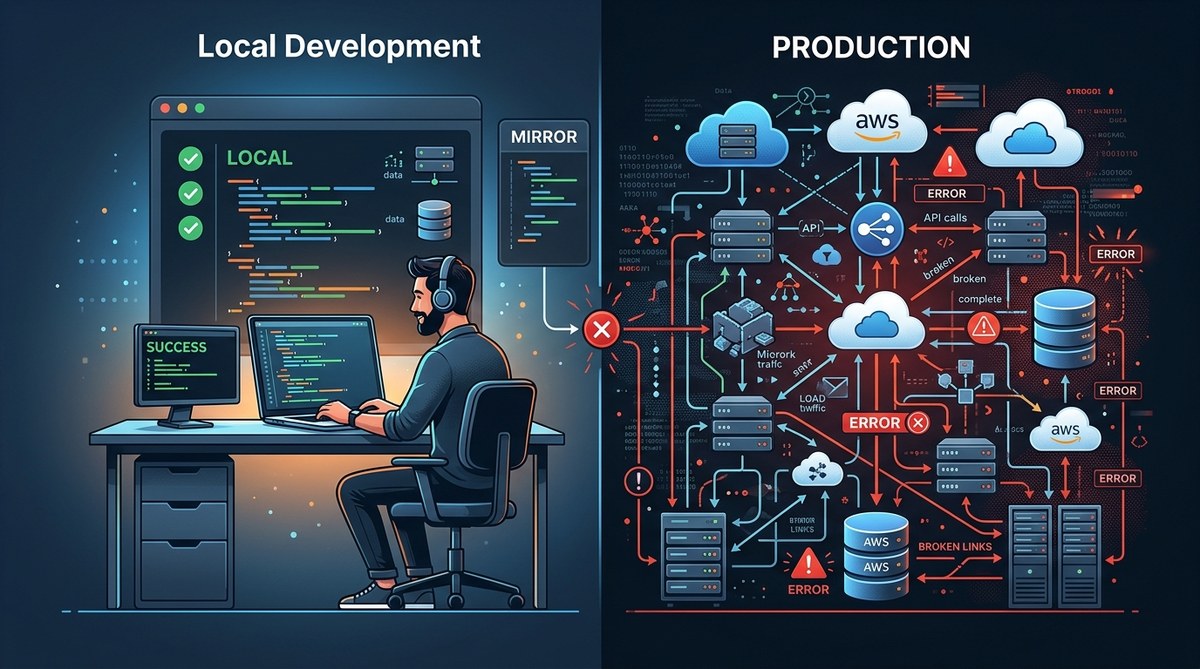
You push code that passed every local test. Your unit tests are green. Your manual checks feel solid. Then, within minutes of deployment, your monitoring lights up with errors you never saw. An exception that crashes the checkout flow. A null reference that only appears on certain user accounts. A database timeout that never happened on your laptop.
This is the classic developer nightmare. Errors that only appear in production feel personal. But they are not random. They follow predictable patterns rooted in environmental differences, data discrepancies, and configuration drift. Understanding these patterns is the key to catching production only errors before your users do.
Production only errors happen because your local environment is a simplified simulation. Differences in dependencies, data, configuration, and scale create gaps that hide bugs until deployment. By systematically replicating production conditions in development and using proper observability tools, you can catch most of these errors before they reach users.
The hidden gap between your local machine and production
Your local development setup is a custom tailored bubble. You control the operating system, the database version, the Node.js runtime, and the exact set of dependencies. But production is a shared, scaled, constantly changing environment. Even small differences can cause code to behave differently.
The most common sources of environmental mismatch include:
- Operating system differences. Windows vs Linux file paths, line endings, or case sensitivity.
- Dependency version drift. A package behaves differently in newer minor versions.
- Compiler or interpreter version. Python 3.9 vs 3.11, Node 16 vs 20.
- Middleware and proxies. NGINX, load balancers, CDN caching rules.
- File system and permissions. Read/write access, temporary directory locations.
- Time zones and locale settings. Date formatting, daylight saving edge cases.
Each of these seems minor on its own. But when they combine, they can produce errors that are impossible to reproduce locally.
How data variations create production only errors
Your local database probably has a handful of test records you created manually. Production has millions of rows with real world edge cases. Null fields, unexpected characters, dates in the far past or far future, strings too long for a column, and duplicate entries.
Consider a user profile page that works flawlessly with your test data. Then in production, a user has a bio with emoji that exceeds the character limit, or a phone number formatted differently than expected. Your code might fail silently, or throw an exception that was never triggered by your test data.
Another common scenario involves race conditions that only appear under load. In local development, you have one user making one request. In production, hundreds of users might be writing to the same resource simultaneously. Timing issues, deadlocks, and state corruption become visible only when the system is under real traffic.
Configuration and feature flags that differ
Production environments almost always have different configuration values than local ones. API keys, third party service endpoints, database connection strings, and feature flags all change the behavior of your application.
A configuration that is missing in production might cause a fallback code path that you never tested. A feature flag that is enabled locally but disabled in production hides a piece of functionality that could be broken. On the flip side, a flag enabled in production might trigger untested code paths.
Secrets management also plays a role. If your local environment uses a mock secret vault but production uses a real one, the authentication flow can differ. Rate limits, quota checks, and caching layers behave differently when real credentials are used.
A practical framework to catch production only errors
Instead of guessing, apply this systematic approach. It will help you identify environmental mismatches before deployment.
-
Replicate production as closely as possible. Use containerization tools like Docker to run the same base image, same system libraries, and same dependency versions. Run your database with the same engine version and collation settings.
-
Use production like data in staging. Anonymize a copy of production data and load it into a staging environment. This exposes edge cases that synthetic test data misses. Be careful with personal identifiable information, but the shape and volume of data matter.
-
Run performance tests before deploying. Even simple load tests can reveal race conditions and resource exhaustion that never show in unit tests. Tools like k6 or Locust can simulate user traffic.
-
Add structured logging early. Include context like request IDs, session IDs, and environment tags. When an error happens in production, you need to know exactly which version of the code was running and what led to that state.
-
Implement error monitoring and alerting. Tools like Sentry, Datadog, or Rollbar capture stack traces, request data, and environment details. This turns an invisible error into a debuggable artifact.
For deeper strategies, check out our guide on mastering debugging strategies for frontend JavaScript errors. Many of the same principles apply to backend code too.
Common mistakes vs best practices
This table outlines where developers often go wrong and what to do instead.
| Mistake | Best Practice |
|---|---|
| Relying on a local SQLite database with fake data | Use the same database engine (PostgreSQL, MySQL) with a sanitized copy of real data |
| Running on a different OS than production | Use Docker containers with the production base image |
| Skipping staging environment | Maintain a staging environment that mirrors production configuration |
| Ignoring environment variables in local setup | Keep a .env.example file and load all required variables |
| Using only happy path test data | Include null values, empty strings, special characters, and boundary cases |
| Not monitoring errors in production | Integrate error tracking and set up alerts for new error groups |
| Assuming dependencies are identical | Pin exact versions in lock files and use consistent package manager settings |
Tooling and strategies that help
Modern development tooling makes it easier to bridge the environment gap. Here are some approaches that work well:
-
Docker Compose for local development. Run your app, database, cache, and queue workers in containers. This ensures consistent versions and configurations across your team.
-
Feature flag systems. Use tools like LaunchDarkly or Unleash to roll out features gradually. This lets you test new code with a subset of production traffic before full release.
-
Observability platforms. Logs alone are not enough. You need distributed tracing and metrics to understand the full picture of a failing request. Tools like OpenTelemetry help you see the entire call chain.
-
Sanitized database snapshots. Take a snapshot of production data, remove sensitive fields, and make it available for local and staging use. This gives you realistic data without compromising privacy.
For more details on handling memory related issues that can cause production only crashes, see diagnosing and fixing memory leaks in web applications.
Expert advice on bridging the gap
“The most deceptive errors are the ones that never show up on your machine. They hide in plain sight, waiting for the exact combination of data, load, and configuration that only exists in production. Your goal is not to eliminate all differences, but to make the remaining differences visible and manageable. Treat your local environment as a simulation, not a mirror. And when an error does appear in production, treat it as a clue about what your simulation missed.” – Senior developer with 15 years of production debugging experience
This perspective shifts the mindset from frustration to investigation. Each production only error is a learning opportunity about your own environment setup.
From frustration to prevention
Errors that only happen in production do not have to be a source of dread. By understanding the root causes, you can build your development workflow to catch them earlier. Replicate your production environment, test with real data, and invest in observability tools that give you visibility into production behavior.
Start with one change. Set up a staging environment that mirrors production. Run your next deployment through it. You will be surprised how many hidden bugs surface during that process. Then add error monitoring to production itself. The combination of a realistic pre production environment and real time error tracking will cut down the number of surprises you encounter.
The goal is not to eliminate all production only errors, but to make them rare, understandable, and fixable within minutes, not days. That is the difference between a developer who dreads deployments and one who ships with confidence.
For more techniques on improving your debugging workflow, read our post on effective code optimization techniques for faster web applications. It covers how to identify bottlenecks that may only appear under production conditions.
Your local machine is a great place to write code. But production is where your code lives. Bridge that gap, and you will sleep better at night.